Advice written for small and medium-sized businesses has a habit of being advice written for large ones, shortened. It assumes a security team, a budget line and someone whose job this actually is. Most SMBs have none of those, and the practices that work are the ones that survive being implemented by a person with other responsibilities.
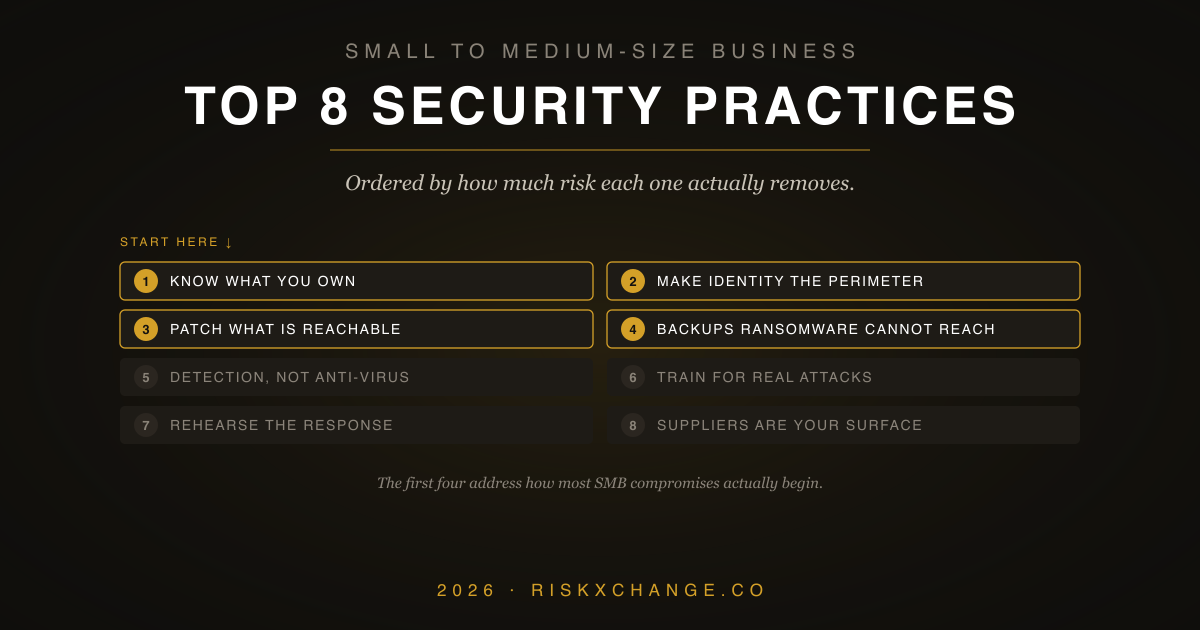
The eight below are ordered deliberately. Each one reduces more risk than the one after it, and several cost nothing but attention. If you only get through the first four, you will have addressed the way most SMB compromises actually begin.
1. Know what you actually own
You cannot protect what you have forgotten about, and small organisations forget a great deal: the marketing site nobody has updated in three years, the staging server from a project that ended, the file share a departed employee set up, the SaaS tool one team expensed and never told anyone about.
Attackers find these before you do, because scanning for them is cheap and automated. Building an inventory of your internet-facing assets — domains, subdomains, exposed services, cloud accounts, SaaS applications — is unglamorous and repeatedly turns out to be the highest-value hour anyone spends. Everything else on this list depends on knowing the shape of your attack surface.
2. Make identity the perimeter
The network boundary stopped being the meaningful defensive line when your data moved into other people's clouds. What protects a modern SMB is control over who can authenticate to what.
Multi-factor authentication everywhere it is available is the single highest-return control available, and not all MFA is equal — SMS and push notifications are both defeatable, the first by SIM swapping and the second by prompt fatigue. Where a system supports phishing-resistant methods such as passkeys or hardware keys, use them, starting with email and administrative accounts.
Then reduce what an account can reach. Shared logins and permanent administrative rights are common in small organisations because they are convenient, and they convert one compromised password into a full compromise. Stronger authentication paired with least privilege is the practical core of a zero trust approach, without needing the vendor architecture that usually accompanies the phrase.
3. Patch what is reachable, first
Nobody patches everything, so the question is order. Internet-facing systems come first, because they are being scanned continuously by people who are not selective about targets. A known vulnerability in an exposed remote access appliance or web application is not a theoretical risk; it is an invitation with a published address.
Internal systems matter, but they matter second. If you take one operating principle from vulnerability management, make it this: reachability beats severity when deciding what to fix this week.
4. Back up in a way ransomware cannot reach
Everyone backs up. Far fewer have backups that survive an attacker with administrative credentials, which is the only scenario in which backups are ever needed for this purpose.
Modern ransomware operators look for backup systems first and encrypt or delete them before touching anything else. A backup on a permanently connected network share, or in a cloud account reachable with the same credentials as everything else, is not a recovery plan. At least one copy needs to be offline or immutable, held under separate credentials.
And it has to be tested. An untested backup is a belief, not a control — the moment to discover a restore does not work is not during a ransomware incident. Restore something real, on a schedule, and time how long it takes.
5. Move from anti-virus to detection and response
Traditional anti-virus asks whether a file matches something known to be bad. That question is now easy to defeat, and a good deal of what an intruder does involves no malicious file at all — legitimate administrative tooling, used by someone who should not have it.
Endpoint detection and response watches behaviour instead: unusual process relationships, credential access, unexpected persistence, activity at implausible hours. For an SMB without staff to watch alerts, a managed service is generally the sensible route, because detection nobody reads is not detection.
6. Train people for the attacks that actually target you
Annual awareness training exists to satisfy an auditor. It has very little effect on behaviour, and most SMB employees can tell the difference.
What works is specific and local. The realistic threat to a small business is rarely an exotic intrusion; it is an invoice with changed bank details, an urgent request that appears to come from a director, a supplier email thread someone has quietly joined. Teaching finance staff to verify payment changes through a separately obtained phone number prevents more loss than an hour of general phishing theory.
Make reporting easy and blameless. The organisations that detect intrusions early are the ones where people say something quickly, and that depends entirely on whether the last person to do so was thanked or blamed.
7. Write down the few things that matter, and rehearse the response
A policy nobody reads changes nothing, but a small number of written decisions genuinely help: who may approve a payment, what happens to accounts when someone leaves, which data may go where, who to call at three in the morning.
The incident response plan is the one worth real effort, and it does not need to be long. Who decides to take systems offline. Who contacts customers, insurers and the regulator, and within what deadline. Where the contact list lives when the network is unavailable — printed, if necessary. Walking through it once as a conversation will surface more gaps than writing it did.
8. Treat your suppliers as part of your attack surface
This is the practice most missing from lists like this one, and increasingly the way smaller organisations are actually compromised. Your data sits in other people's systems. Their weaknesses are your exposure, and their incident becomes your breach notification.
SMBs cannot audit suppliers the way enterprises do, and do not need to. Start by knowing which suppliers hold or can reach your data, and rank them by what their failure would cost you. For the handful that matter, establish what is observable from outside — whether their software is current, their certificates valid, their exposed services sensible — and ask about breach notification timelines before you sign, not afterwards. A vendor risk checklist is enough structure for most small organisations.
There is a second reason to take this seriously: your customers are starting to ask you the same questions. Being able to answer them quickly is becoming a commercial advantage as much as a security one.
Where to start
If this reads as a lot, start with the inventory and MFA. Between them they address the two most common entry points — something exposed that nobody was watching, and a password that was the only thing in the way. Then work down.
The cost of a breach falls disproportionately on smaller organisations, which have the least capacity to absorb the disruption and the least room to lose customer confidence. That is an argument for starting, not for despairing: the first four practices here are within reach of any business, and they remove most of the opportunity.
RiskXchange shows organisations what an attacker can see about them and their suppliers, continuously and from the outside in. If you would like a view of your own exposure, get in touch.